
As we previewed in What’s Next with AWS 2026, we’re announcing the general availability of OpenAI GPT-5.5, GPT-5.4 models, and Codex on Amazon Bedrock, giving you access to frontier models and a coding agent for software development.
According to OpenAI, GPT-5.5 and GPT-5.4 models are excellent for coding, reasoning, agentic workflows, and complex professional work. You can use GPT-5.5 for the hardest customer workloads and GPT-5.4 for the best price-performance. You can call them through Responses API on Amazon Bedrock’s next-generation inference engine built for high performance, reliability, and security.
Codex is the OpenAI coding agent for AI-powered software development. According to OpenAI, more than 4 million developers use Codex every week to write, refactor, debug, test, and validate code across large codebases. With GPT-5.5 powering inference, Codex introduces a new class of intelligence optimized for complex, long-horizon developer workflows. You can use the Codex App, the Codex CLI, and IDE integrations with Visual Studio Code, JetBrains, and Xcode, with all model inference routed through the Responses API on Amazon Bedrock.
For customers with data residency requirements, all processing stays within the Bedrock Region you select. You pay per token with no seat licenses and no per-developer commitments.
GPT-5.5 and GPT-5.4 models on Bedrock in action
You can access the model programmatically using the OpenAI Responses API to call the bedrock-mantle endpoints through the OpenAI SDK, command-line tools such as curl.
Let’s start with OpenAI SDK for Python. Install OpenAI SDK.
pip install -U openaiSet the environment variables for authentication.
export OPENAI_BASE_URL="https://bedrock-mantle.us-east-2.api.aws/openai/v1"
export OPENAI_API_KEY="<BEDROCK_API_KEY>"
export BEDROCK_OPENAI_MODEL_ID="openai.gpt-5.5"
Here is a sample Python code to call GPT-5.5 model on Bedrock:
import os
from openai import OpenAI

client = OpenAI(
    base_url=os.environ["OPENAI_BASE_URL"],
    api_key=os.environ["OPENAI_API_KEY"],
)

response = client.responses.create(
    model=os.environ["BEDROCK_OPENAI_MODEL_ID"],
    input=[
        {
            "role": "developer",
            "content": "You are a software engineer with excellent AWS cloud knowledge. Be concise and practical.",
        },
        {
            "role": "user",
            "content": "Design a distributed architecture on AWS in Python that should support 100k requests per second across multiple geographic regions.",
        },
    ],
    reasoning={"effort": "medium"},
    text={"verbosity": "low"},
)

print(response.output_text)
You can call directly the model endpoint using curl.
curl "$OPENAI_BASE_URL/responses" \
  -H "Content-Type: application/json" \
  -H "Authorization: Bearer $OPENAI_API_KEY" \
  -d '{
    "model": "openai.gpt-5.5",
    "input": [
      {
        "role": "developer",
        "content": "You are a software engineer with excellent AWS cloud knowledge."
      },
      {
        "role": "user",
        "content": "Design a distributed architecture on AWS in Python that should support 100k requests per second across multiple geographic regions."
      }
    ],
    "reasoning": {"effort": "medium"},
    "text": {"verbosity": "low"}
  }'
You can use the Responses API when you want to use model-managed multi-turn state, need hosted tools, function tools, or richer tool orchestration, and run background or long-running work. To learn more, visit the OpenAI Cookbook Responses examples.
Using OpenAI Codex with GPT-5.5 on Amazon Bedrock
You can download Codex CLI, Codex App or Codex VS Code extension and get started with the Bedrock for model inference. Codex supports two Bedrock authentication pathways: Amazon Bedrock API key or AWS SDK credential chain. If you set AWS_BEARER_TOKEN_BEDROCK, Codex uses it first; otherwise Codex falls back to AWS SDK credential chain.
Set AWS_BEARER_TOKEN_BEDROCK in the environment that Codex will read:
export AWS_BEARER_TOKEN_BEDROCK=<your-bedrock-api-key>Then, configure your preferred Region and set the model ID to openai.gpt-5.5 in ~/.codex/config.toml, which is required for Bedrock API-key authentication. You can also choose openai.gpt-5.4, openai.gpt-oss-120b, or openai.gpt-oss-20b. For the desktop app or VS Code extension, put any environment variables the app needs in ~/.codex/.env.
model = "openai.gpt-5.5"
model_provider = "amazon-bedrock"
[model_providers.amazon-bedrock.aws]
region = "us-east-2"
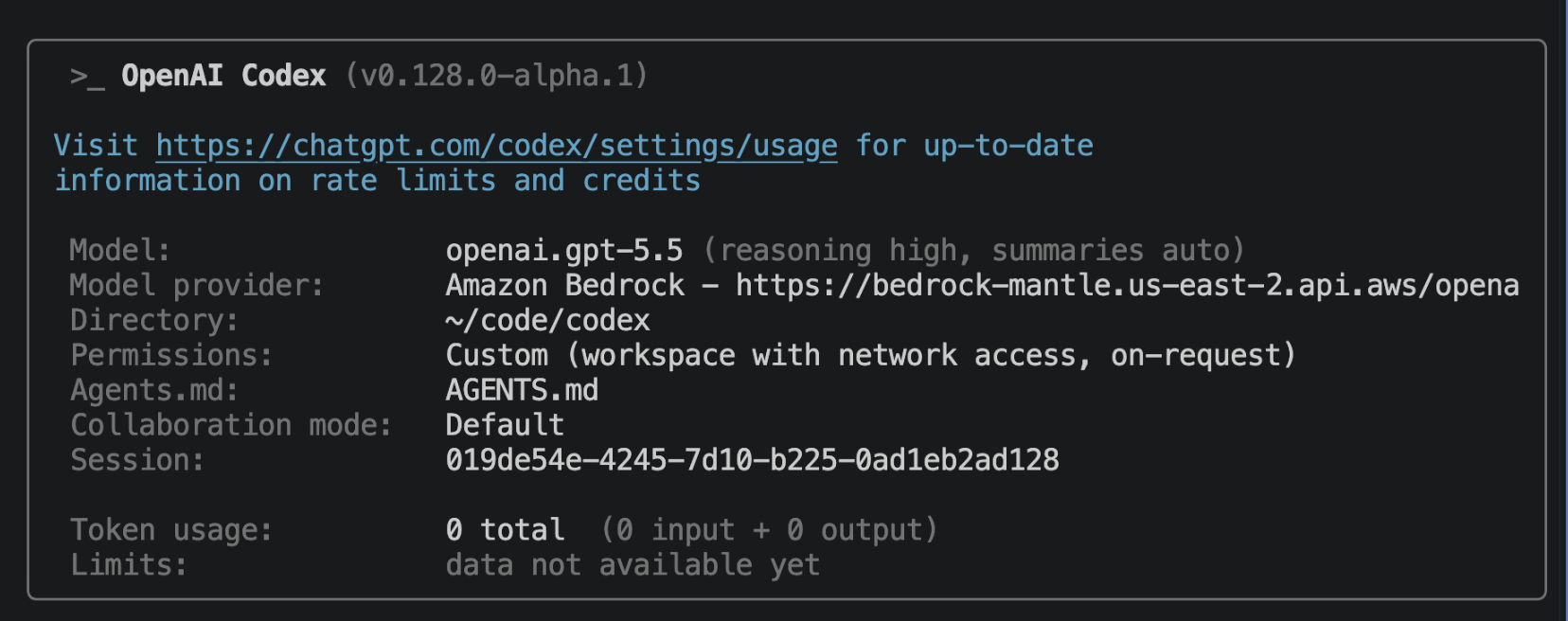
Restart the desktop app or VS Code extension after changing ~/.codex/config.toml or ~/.codex/.env. In Codex CLI, you should see a /status tab that looks like this:
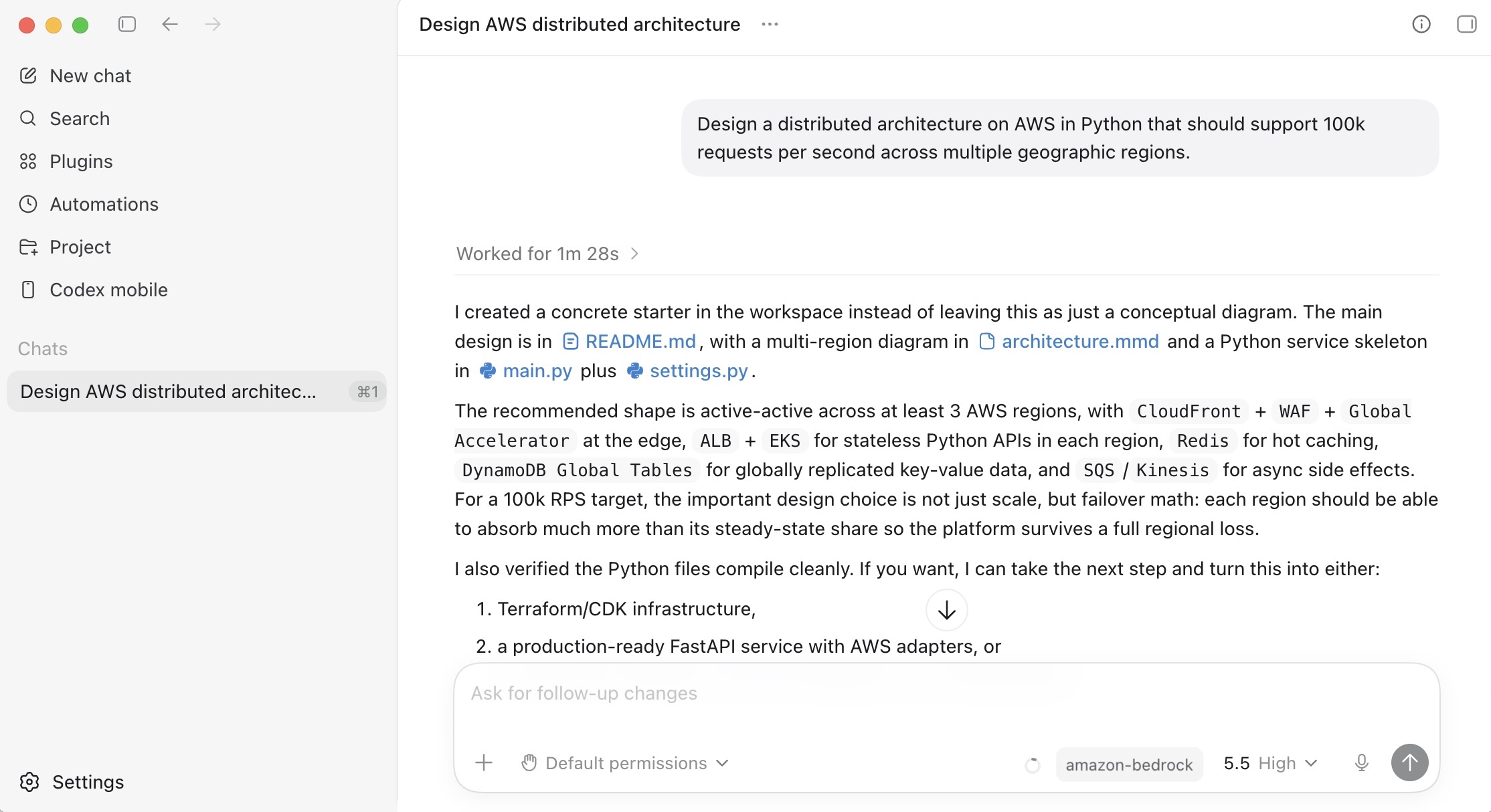
In Codex App, you can use GPT-5.5 model through Amazon Bedrock inference.
Things to know
Let me share some important technical details that I think you’ll find useful.
- Model latency: OpenAI model information positions GPT-5.5 as fast and GPT-5.4 as medium speed, but customer-perceived latency depends on reasoning effort, output length, tool calls, background mode, Region, quotas, throttling, prompt size, and cache hits. Start GPT-5.5 at
mediumeffort. Start GPT-5.4 with effort set explicitly rather than relying on itsnonedefault. - Scaling and capacity: Bedrock’s new inference engine is designed to rapidly provision and serve capacity across many different models. When accepting requests, we prioritize keeping steady state workloads running, and ramp usage and capacity rapidly in response to changes in demand. During periods of high demand, requests are queued, rather than rejected.
Now available
OpenAI GPT models and Codex on Amazon Bedrock are available today: GPT-5.5 model in the US East (Ohio) Region, GPT-5.4 model in the US East (Ohio) and US West (Oregon) Regions. Check the full list of Regions for future updates. To learn more, visit the OpenAI on Amazon Bedrock page and the Amazon Bedrock pricing page.
Give GPT-5.5, GPT-5.4 models, and Codex on Amazon Bedrock a try today and send feedback to AWS re:Post for Amazon Bedrock or through your usual AWS Support contacts.
— Channy
from AWS News Blog https://ift.tt/4nHUg3F
Share this content: